okaihub

Design & Creative tools — page 10

Design and creative tools cover visual production for professional and semi-professional work — interface and graphic design, illustration, photo and video editing, 3D, motion, asset management and design systems.

The category divides between creation and production infrastructure. On the creation side sit the canvas tools: vector and raster editors, layout and UI design, 3D and motion. On the infrastructure side sit the things that make design work at scale — asset and digital asset management, design systems and component libraries, handoff and specification, review and annotation, and file format conversion.

Generative AI has been absorbed differently across those two halves. In production infrastructure it is mostly incremental: smarter search, automatic tagging, background removal, upscaling. In creation tools it is more disruptive but also more contested, because output control and editability matter more than raw generation — a designer needs to change one element, not re-roll the whole thing. That is why non-destructive editing, layer integrity and vector output remain differentiators even in AI-forward products.

File format and interoperability constraints are unusually binding here. A tool that cannot cleanly exchange files with the rest of a team's pipeline will not be adopted regardless of quality, which is why format support often decides outcomes more than feature novelty.

At a glance

Products listed993
Free or freemium725of 958 with published pricing
Paid249
With traffic data355top: 3.4M/mo
Sub-types tracked12

Top Design & Creative tools by traffic

451–500 of 993
  1. View KeyFlow details
    #451
    KeyFlow

    Struggling with Photoshop shortcuts on a non-QWERTY keyboard? Use KeyFlow Plugin to customize shortcuts for over 40 keyboard layouts.

  2. View Letterbox details
    #452
    Letterbox

    Letters shaped by text. Pick a font, choose your colors, and watch type come alive. Listed in Design & Creative.

  3. View PaywallPro details
    #453
    PaywallPro

    Access 10,000+ iOS paywall screenshots and get personalized subscription strategy insights. Listed in Design & Creative.

  4. View Spotlight FX details
    #454
    Spotlight FX

    Spotlight FX is an After Effects and Premiere Pro plugin with customizable templates, transitions, titles, effects and tools for video editing.

  5. View All About Framer details
    #455
    All About Framer

    Dive into expert tutorials, insightful articles, and resources dedicated to improving your Framer skills. Listed in Design & Creative.

  6. View Supersparks details
    #456
    Supersparks

    Add user generated content, such as comments, reviews, & community posts to your Webflow sites in minutes. Listed in Design & Creative.

  7. View CompressImage.io details
    #457
    CompressImage.io

    Compress JPEG, PNG, GIF, WebP images in seconds. 100% offline - your images never leave your browser. Free, fast, and no file size limits.

  8. View Amicons details
    #458
    Amicons

    760 handcrafted icons in 3,040 variants. Built to bring warmth, clarity, and character to digital products, content, decks, and more.

  9. View Comprehensive Pitch Deck Template details
    #459
    Comprehensive Pitch Deck Template

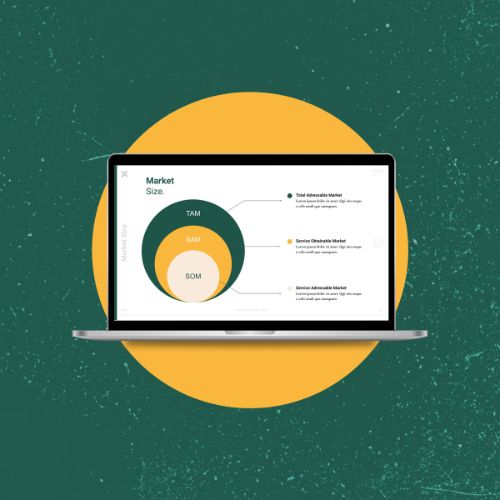
    Comprehensive Pitch Deck Template, designed to help startups funding. Editable, investor-ready slides available in Google Slides and PPTX.

  10. View AI Passport Photo details
    #460
    AI Passport Photo

    Need a passport photo fast? Take a photo with your mobile phone and use our passport photo tool to create professional passport, visa, or ID photo in seconds!

  11. View Raivcoo details
    #461
    Raivcoo

    Discover and share motion design inspiration. Listed in Design & Creative.

  12. View MomentSift details
    #462
    MomentSift

    Review photos, confirm your keepers, then enhance, restore, or create images in one browser workspace with MomentSift. Listed in Design & Creative.

  13. View HomeDesignsAI details
    #463
    HomeDesignsAI

    AI home design tool trusted by 2.80M+ users. Transform interiors, exteriors, and gardens in seconds. 200+ styles, instant results.

  14. View chatimages details
    #464
    chatimages

    Create and edit images with ChatImages' ChatGPT Image Generator, powered by GPT Image 2.5 and GPT Image 2. Also explore Nano Banana 2 and AI video tools.

  15. View Iconstica - 4000+ icons, 23 categories + Free icons details
    #465
    Iconstica - 4000+ icons, 23 categories + Free icons

    Get access to free and premium icon packs for your design needs. Download high quality business, arrow, website, user, dashboard & more icons from the best…

  16. View Tintd 2 details
    #466
    Tintd 2

    Customize and colorize your MacOS folder icons in one click. Choose from 1500+ icons, create custom colors, and make your Desktop beautiful.

  17. View Picker Design details
    #467
    Picker Design

    Picker.Design is a Chrome extension that extracts clean HTML + CSS from any element, clones full pages into one file, and turns any site's design system…

  18. View GYFT details
    #468
    GYFT

    Discover curated Framer templates from independent creators. Explore premium website templates for SaaS, agencies, portfolios, startups and more with GYFT.

  19. View styly details
    #469
    styly

    Explore room ideas with AI, then work with a Styly designer on your layout, furniture and shopping list. A room project built around your budget and location.

  20. View Slloy AI details
    #470
    Slloy AI

    Slloy AI, built on ByteDance's Seedream 5.0 model: 2K AI image generation and editing in seconds — text-to-image, multi-reference editing, batch generation.

  21. View Normal Map Generator details
    #471
    Normal Map Generator

    Free Online PBR & Normal Map Generator. Instantly convert images into Normal Maps, Roughness Maps, Height/Bump Maps, and AO Maps in your browser with WebGL.

  22. View Folksee details
    #472
    Folksee

    Share one link. Friends, family or coworkers record short videos from any phone, and Folksee turns them into one reel. No app, no editing. First 5 people free.

  23. View Untitled UI React details
    #473
    Untitled UI React

    Untitled UI React is the world’s largest collection of open-source React components built with Tailwind CSS and React Aria. Just copy, paste, and build.

  24. View Design GUI details
    #474
    Design GUI

    CSS Variables Editor is the Browser Extension for managing colors in CSS Variables. AI-generated color palettes. Accessibility testing.

  25. View Pagedone details
    #475
    Pagedone

    Largest open-source library of interactive Tailwind CSS Components and ready-made Tailwind Blocks. Listed in Design & Creative.

  26. View redesAIgn details
    #476
    redesAIgn

    Edit photos with AI: landscapes, exteriors, interiors, blueprints, vehicles, beauty, fashion, social posts, and travel. 10 editors; free credits on signup.

  27. View Proicon details
    #477
    Proicon

    Create a logo, build your brand kit, and make posts and stories for your business. Explore ideas and keep your work together with Proicon.

  28. View EasySheets.app details
    #478
    EasySheets.app

    Ready-made Google Sheets templates for startups & small businesses. Save time with productivity, finance, and operations templates built to keep you organized.

  29. View Gradient FM details
    #479
    Gradient FM

    Unique Gradient Collections for your next design project. Listed in Design & Creative.

  30. View Iconwiz details
    #480
    Iconwiz

    Create app icons, favicons and icon sets with Iconwiz. Generate artwork with AI, edit your own images for free, and export icons for web, iOS, Android,…

  31. View Telescope details
    #481
    Telescope

    Discover the best recommendations from the best curators. Listed in Design & Creative.

  32. View NanoArt details
    #482
    NanoArt

    Create stunning AI images and videos with nanoart. Transform ideas into visuals using Veo 3.1, Sora 2, and Nano Banana Pro. Free to start.

  33. View Modulify details
    #483
    Modulify

    Turn a prompt into a real website or web app: layouts, copy, images, a CMS, database, analytics and hosting included. Listed in Design & Creative.

  34. View ShitFast details
    #484
    ShitFast

    An archive of landing pages that all read like one AI wrote them. Satirical roasts, scorecards, and brutally specific critiques of generic AI-generated…

  35. View slidde details
    #485
    slidde

    slidde - If you can make a slide, you can make a website. Listed in Design & Creative.

  36. View YouPhoto AI details
    #486
    YouPhoto AI

    Restyle your photo with trending image and video effects. Explore playful styles, avatars and memes—choose a template and make the trend yours.

  37. View Crit details
    #487
    Crit

    Find the weak spots in your design before your client review. Context-specific AI feedback, three practical fixes, and three complete free critiques.

  38. View Mozonic details
    #488
    Mozonic

    Mozonic Studio is a free AI-native DAW for Mac that measures your session before it suggests a change. Listed in Design & Creative.

  39. View Kolors details
    #489
    Kolors

    Create palette, export to primitive and semantic tokens. Listed in Design & Creative.

  40. View Pic Laser details
    #490
    Pic Laser

    Generate stunning AI images instantly with PicLaser. Fast, simple, and powerful AI image generation at your fingertips. Listed in Design & Creative.

  41. View AI Packshot details
    #491
    AI Packshot

    Generate flawless AI product packshots in just 3 clicks. Perfect for your social media, ads, online store and email campaigns.

  42. View Banana video ai details
    #492
    Banana video ai

    Create videos from text or images with Banana Video AI. Explore a nano banana video workflow, compare available models, and bring your ideas to life.

  43. View Supahero details
    #493
    Supahero

    A handpicked library of stunning website hero sections designed to captivate and engage. Listed in Design & Creative.

  44. View UIHut details
    #494
    UIHut

    UIHut offers 26,000+ UI design resources. Download Web Templates, Web UI, App UI, UI Kits, 3D Assets, Illustrations, and Icons for your next design project.

  45. View ShotLab details
    #495
    ShotLab

    Make your screenshots stand out with stunning backgrounds, frames, cool stickers, emojis, and more. Listed in Design & Creative.

  46. View IconFst details
    #496
    IconFst

    Create eye-catching icons that make your apps shine!. Listed in Design & Creative.

  47. View Blank 2.0 details
    #497
    Blank 2.0

    Open-source React components for shadcn: monochrome by default, animated where it helps, branded with one CSS variable. Pro adds bento cards and blocks.

  48. View SVG Converter details
    #498
    SVG Converter

    SVG converter. Turn PNG and JPG images into full-color SVGs, choose your own colors, keep transparency. No signup. Listed in Design & Creative.

  49. View WallMockup details
    #499
    WallMockup

    Create realistic wall art mockups in minutes. Place artwork into room scenes, customize frames and sizes, and export listing-ready previews.

  50. View vividoo details

    #500
    vividoo

    Reimagine your home with AI. Upload a photo to redesign rooms, stage empty spaces, and visualize exterior renovations in under a minute. Start for free!

Frequently asked questions

What are Design & Creative tools?
Design and creative tools cover visual production for professional and semi-professional work — interface and graphic design, illustration, photo and video editing, 3D, motion, asset management and design systems. This directory lists 993 of them, 912 of which have enough detail to be indexed, each confirmed live and serving its own product site as of the date shown on its listing.
Are Design & Creative tools free?
Most have some free access. Of the 958 Design & Creative tools with a published pricing model (96% of those listed), 76% offer a free or freemium tier, 26% are paid, 7% include a free trial and 6% do not publish pricing and require contacting the vendor. These categories overlap — a tool can be both freemium and paid — so the figures total more than 100%. Pricing for the remaining 35 was not published on their sites, so it is not counted here. Note that "freemium" means a usable free tier with limits on volume, seats or features rather than the full product, and a "free trial" is time- or usage-limited rather than free indefinitely.
What are the most popular Design & Creative tools?
By estimated monthly traffic, the most-visited Design & Creative tools in this directory are Planner 5D, Kittl, Vectorizer AI, Recraft Image Model and Coohom - 3D Home Interior Design AI Tool. This ranking covers the 355 tools (36% of those listed) that have published third-party traffic estimates; tools without traffic data are excluded rather than assumed small. Traffic is one signal of adoption, not a quality judgement, and estimates vary in accuracy between providers.
What types of Design & Creative tools are there?
The most common sub-types in this category are Design, AI, Video, Image Optimization and Productivity. These labels come from the source directories the products were imported from, so they reflect how those sources categorise the space rather than a taxonomy we imposed. A single tool often spans several of them.
How are these tools ranked and verified?
Each entry points at the product's own website, which was checked to confirm it is live and still serving that product; sites that have shut down or no longer offer it are left out, and two listings for the same product are merged into one. Within a category, products are ordered by estimated monthly traffic where that figure exists, and alphabetically where it does not. Traffic and rating figures are third-party estimates and may be incomplete. Listings are re-checked periodically and each entry carries the date it was last verified.
How do I choose a Design & Creative tool?
The criteria that matter most in this category are: File format and interchange support for the rest of your pipeline, including whether exports are editable or flattened; Non-destructive editing and layer preservation if you will iterate rather than generate once; How much control AI features give you over individual elements, as opposed to whole-image regeneration; Asset management and versioning if you work at volume or in a team. Start from the specific job you need done rather than the longest feature list, and trial against your own data or content — demo material in this category is usually chosen to flatter the product.

What to look for

  • File format and interchange support for the rest of your pipeline, including whether exports are editable or flattened.
  • Non-destructive editing and layer preservation if you will iterate rather than generate once.
  • How much control AI features give you over individual elements, as opposed to whole-image regeneration.
  • Asset management and versioning if you work at volume or in a team.
  • Licensing on generated or assisted output, and on any bundled stock or template libraries.