Design & Creative tools — page 8
Design and creative tools cover visual production for professional and semi-professional work — interface and graphic design, illustration, photo and video editing, 3D, motion, asset management and design systems.
The category divides between creation and production infrastructure. On the creation side sit the canvas tools: vector and raster editors, layout and UI design, 3D and motion. On the infrastructure side sit the things that make design work at scale — asset and digital asset management, design systems and component libraries, handoff and specification, review and annotation, and file format conversion.
Generative AI has been absorbed differently across those two halves. In production infrastructure it is mostly incremental: smarter search, automatic tagging, background removal, upscaling. In creation tools it is more disruptive but also more contested, because output control and editability matter more than raw generation — a designer needs to change one element, not re-roll the whole thing. That is why non-destructive editing, layer integrity and vector output remain differentiators even in AI-forward products.
File format and interoperability constraints are unusually binding here. A tool that cannot cleanly exchange files with the rest of a team's pipeline will not be adopted regardless of quality, which is why format support often decides outcomes more than feature novelty.
At a glance
| Products listed | 993 |
|---|---|
| Free or freemium | 725of 958 with published pricing |
| Paid | 249 |
| With traffic data | 355top: 3.4M/mo |
| Sub-types tracked | 12 |
Top Design & Creative tools by traffic
351–400 of 993- View AI Clothes Changer-1 details#351AI Clothes Changer-1
AI Clothes Changer supports Nano Banana (Pro), GPT-4O, and Flux 2, and is a virtual try-on tool using AI for realistic outfit changes in one click.
122/mo
Freemium
- View LogoGen details#352LogoGen
LogoGen makes custom AI logos from your brand name and description, usually in under 10 seconds. Pick a style and colors. Plans from $8. See examples.
114/mo
Paid
- View Seamless Studio (Beta) details
- View IDM-VTON online details#354IDM-VTON online
Upload your photo and a clothing image for an AI virtual try-on preview in 10–20 seconds. Compare styles at home; make on-model images with no shoot. Try now.
53/mo
Free
- View TryHairstyle.com details
- View Frames X details
- View Video Repair details
- View Mockup Generator details
- View uncoverLAB details#359uncoverLAB
Never start from blank Figma ever again! Website design compoenents, app flows and color palettes!. Listed in Design & Creative.
Freemium
- View Aikiu Studio details
- View Landings details#361Landings
Find the best landing pages for your design inspiration based on your preference. Listed in Design & Creative.
Free
- View finddesignagency details
- View GenAIntel details
- View Dance Stories For Kids details
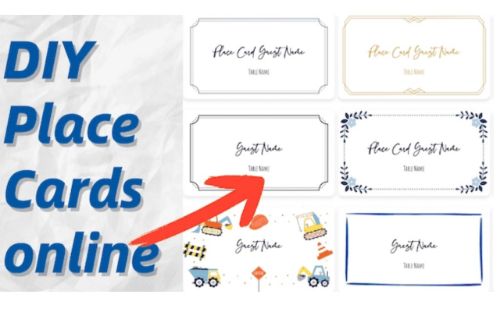
- View Place Card Maker details
- View AI Comic Generator best details
- View nixm details
- View Chrisdsn details
- View Compresto details#369Compresto
Compresto for macOS: Professional video, image & PDF compression tool. Reduce file sizes up to 90% without losing quality.
Paid
- View snappify details
- View PerceptPixel details
- View Snapester details#372Snapester
Create stunning screenshot visuals in seconds: capture with the Chrome extension, polish in the web editor with backgrounds and export options, and share…
Freemium
- View Stargazer details
- View CAVN AI - AI Music Generator details
- View Stickers AI details#375Stickers AI
Create beautiful, unique stickers with the power of AI. Start for free with 5 credits, no credit card required. Listed in Design & Creative.
Freemium
- View 4o Image Gen details#3764o Image Gen
Create stunning AI images with 4o Image Gen. Perfect text rendering, precise object control, and photorealistic quality - powered by GPT-4o.
Freemium
- View Pagifye details
- View Dravter details
- View Exaecut - Video pass details
- View PimpMySnap details#380PimpMySnap
Enhance your screenshots with animated stickers, highlights, text, frames and more. Perfect for making your content stand out—try it freee!
Freemium
- View Frames: Film Photography App details
- View infoAIgraphic details
- View OneLinkly details
- View GetRoofReport details#384GetRoofReport
Free roof report: type any Florida address and get the roof age, permits, storms and flood zone in one report. Free, no signup.
Free
- View Snipplet details
- View Lazoh Design details
- View Graficto details
- View ARCOOKIE details
- View KlipKap Pro details#389KlipKap Pro
KlipKap Pro is the best Screen Studio alternative for Windows and Mac: smooth mouse movement, automatic zoom and cinematic screen recordings. One-time purchase.
Freemium
- View Portraius details
- View Micro Interactions details
- View SocialScreenshots details
- View Fluxmov details#393Fluxmov
Use Motion Control AI to guide character movement with a reference video. Reduce prompt guesswork, face drift, random motion, and failed AI video retries.
Paid
- View PhotoEnhance details
- View OG Image Preview details#395OG Image Preview
Preview how your Open Graph images appear on Twitter, Facebook, LinkedIn, and Discord before sharing. Free tool by Simplebytes.
Free
- View CleanSnap details#396CleanSnap
Transform your screenshots into beautiful, clean images with CleanSnap. Add backgrounds, text, emojis, and more to create professional-looking visuals.
Free
- View usevisuals details
- View Kompressor details#398Kompressor
Kompressor is a fast, offline image converter for Mac. Batch convert, compress and resize HEIC, JPEG, PNG, WebP, AVIF and 50+ more formats with drag and drop.
Freemium
- View Online Color Tools details
- View SketchScreen details




































Frequently asked questions
What are Design & Creative tools?
Are Design & Creative tools free?
What are the most popular Design & Creative tools?
What types of Design & Creative tools are there?
How are these tools ranked and verified?
How do I choose a Design & Creative tool?
What to look for
- File format and interchange support for the rest of your pipeline, including whether exports are editable or flattened.
- Non-destructive editing and layer preservation if you will iterate rather than generate once.
- How much control AI features give you over individual elements, as opposed to whole-image regeneration.
- Asset management and versioning if you work at volume or in a team.
- Licensing on generated or assisted output, and on any bundled stock or template libraries.