okaihub

Design & Creative tools — page 12

Design and creative tools cover visual production for professional and semi-professional work — interface and graphic design, illustration, photo and video editing, 3D, motion, asset management and design systems.

The category divides between creation and production infrastructure. On the creation side sit the canvas tools: vector and raster editors, layout and UI design, 3D and motion. On the infrastructure side sit the things that make design work at scale — asset and digital asset management, design systems and component libraries, handoff and specification, review and annotation, and file format conversion.

Generative AI has been absorbed differently across those two halves. In production infrastructure it is mostly incremental: smarter search, automatic tagging, background removal, upscaling. In creation tools it is more disruptive but also more contested, because output control and editability matter more than raw generation — a designer needs to change one element, not re-roll the whole thing. That is why non-destructive editing, layer integrity and vector output remain differentiators even in AI-forward products.

File format and interoperability constraints are unusually binding here. A tool that cannot cleanly exchange files with the rest of a team's pipeline will not be adopted regardless of quality, which is why format support often decides outcomes more than feature novelty.

At a glance

Products listed993
Free or freemium725of 958 with published pricing
Paid249
With traffic data355top: 3.4M/mo
Sub-types tracked12

Top Design & Creative tools by traffic

551–600 of 993
  1. View tilt.camera details
    #551
    tilt.camera

    Drop a screen recording, place it on a 3D device — laptop, phone, tablet, watch — and direct camera moves with keyframes.

  2. View ArtiFair details
    #552
    ArtiFair

    ArtiFair is a curated collection of 11,000+ high-resolution public domain artworks, from classic paintings to ukiyo-e and botanical illustrations.

  3. View Watobu details
    #553
    Watobu

    Research and analyze features across thousands of applications. Understand how leading companies implement features to make better product decisions.

  4. View Kirocast details
    #554
    Kirocast

    The macOS screen recorder and editor built for AI. Your agent records your training and support videos, and redoes them when the UI changes.

  5. View Huebert details
    #555
    Huebert

    Huebert generates high-contrast color schemes of background, foreground, and primary for beautiful and accessible UIs. Listed in Design & Creative.

  6. View Tiny Vectors details
    #556
    Tiny Vectors

    Free recolorable vector graphics for any project or brand palette. Download SVG or PNG for social posts, websites, crafts and more. No signup needed.

  7. View HeyBoss details
    #557
    HeyBoss

    Vibe code your site or app in minutes—no tech skills needed. Everything's built in: templates, CRM, SEO, payments. The easiest way to launch.

  8. View novaimage details
    #558
    novaimage

    Start with free credits. Use the banana AI image generator to create images, refine edits, and produce videos from text with top AI models.

  9. View CineMath details
    #559
    CineMath

    Timecode, frame rate, aspect ratio, data rate and film stock calculators for filmmakers, editors and DITs. Free on iPhone, iPad and Mac.

  10. View AILogoMagic details
    #560
    AILogoMagic

    Create AI-powered faceless videos for TikTok, Instagram Reels & YouTube Shorts. AI voiceovers, custom branding, no watermark. Free AI reel maker to start.

  11. View RenderX details
    #561
    RenderX

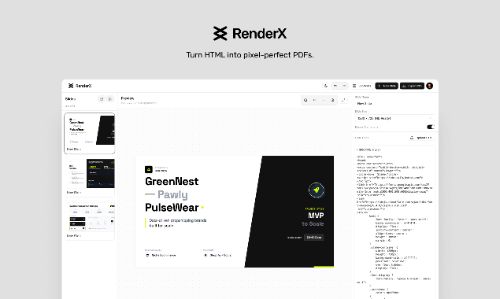
    Create high-quality PDF presentations from HTML slides with a user-friendly interface for editing, previewing, and exporting pixel-perfect results.

  12. View iCraft Editor details
    #562
    iCraft Editor

    iCraft is an all-in-one 3D visual builder to create compelling 3D scenes, flowcharts, architecture diagrams, and product demos.

  13. View Picmal details
    #563
    Picmal

    Convert, compress, and edit images, video, audio, and PDFs right on your Mac, instead of trusting sketchy websites. Works offline, no account, no subscription.

  14. View Baked Supply details
    #564
    Baked Supply

    Supplies to speed up your design process from website to product design. Focused on custom AI design supplies for fast growing startups who value design.

  15. View bananotate details
    #565
    bananotate

    bananotate is a powerful screen annotation tool with features like pen, shapes, arrows, and advanced color options. Listed in Design & Creative.

  16. View oklch.fyi details
    #566
    oklch.fyi

    Build palettes with consistent lightness and predictable shades, convert between formats, and explore gamut — all in OKLCH.

  17. View Snaplama details
    #567
    Snaplama

    Create complex AI animations for YouTube, Instagram, TikTok, ads and many more in a few seconds. Listed in Design & Creative.

  18. View PawToAI details
    #568
    PawToAI

    Create custom AI pet portraits! Transform your pets into whimsical characters in imaginative scenes. Listed in Design & Creative.

  19. View The Ticker Screen details
    #569
    The Ticker Screen

    Immerse yourself in the excitement of the game with The Ticker Screen at home. Bring the electrifying atmosphere right to your space.

  20. View IconBuddy details
    #570
    IconBuddy

    Search and download 300,000+ free SVG icons from open source icon libraries. Customize colors and sizes, then export SVG, PNG, JSX, or Base64.

  21. View Fooocus AI details
    #571
    Fooocus AI

    Fooocus AI is your ultimate tool for generating high-quality images effortlessly. Explore how Fooocus AI can transform your creative process with its…

  22. View Free Printable Coloring Pages details
    #572
    Free Printable Coloring Pages

    1000+ printable coloring pages for kids and adults: animals, mandalas, cartoons, holidays and more. Print as PDF (A4/Letter) or color online for free.

  23. View DivMagic details
    #573
    DivMagic

    Copy design from any website - copy any style from any website into reusable components and paste into your editor. Listed in Design & Creative.

  24. View Ritt details
    #574
    Ritt

    Ritt is a tag-centric file manager that serves as a Digital Asset Management solution. It can help you effortlessly manage your images, videos and documents.

  25. View FASTAI details
    #575
    FASTAI

    Our built-in AI-powered Design translator app can instantly convert your text into 134 languages. Listed in Design & Creative.

  26. View Picify details
    #576
    Picify

    Create stunning visuals for social media, marketing, and more. No design skills needed. AI-powered tools, templates, and an easy-to-use editor.

  27. View VibeFrame details
    #577
    VibeFrame

    Generate thumbnails trained only on your face, your images, guided by your own YouTube CTR. Listed in Design & Creative.

  28. View Kosmik details
    #578
    Kosmik

    Transform your creative workflow with Kosmik. Listed in Design & Creative.

  29. View artprompt details
    #579
    artprompt

    Browse curated prompts for Midjourney, Flux, DALL·E, and Nano Banana. Every prompt paired with the image it produces. Copy, tweak, or run in Studio.

  30. View Screenshot Pro details
    #580
    Screenshot Pro

    Screenshot Beautifier Pro is a Chrome extension that transforms plain screenshots into stunning, professional mockups with gradients, 3D tilt, custom…

  31. View Implay AI details
    #581
    Implay AI

    Convert an image to a sketch online with Implay AI. Turn a photo into a sketch in pencil, line art, ink, and more with our AI photo to sketch tool.

  32. View Droptest Design details
    #582
    Droptest Design

    Droptest - Streamline your feedback process. Listed in Design & Creative.

  33. View AyeCreate details
    #583
    AyeCreate

    AI Content Creation Studio. Generate images, edit photos, create short videos, and ship content fast—switch between multiple popular ai models like…

  34. View Edit0 details
    #584
    Edit0

    Edit0 is a revolutionary AI photo editor that lets anyone create professional-grade images and videos with simple conversational commands.

  35. View PatentDrawAI details
    #585
    PatentDrawAI

    PatentDrawAI helps inventors turn ideas into patent drafts, prior-art research, technical drawings, and market-ready product plans with AI-powered tools.

  36. View Roomvana details
    #586
    Roomvana

    Redesign your kitchen, bedroom or living room from one photo with Roomvana's AI interior design tool. Explore 23 styles before you decorate. Free to try.

  37. View Motionity details
    #587
    Motionity

    Create animated videos for free with Motionity, an open source motion graphics editor with keyframing, masking, filters, text animations, and more.

  38. View HairstylesPro details
    #588
    HairstylesPro

    Use our AI Hairstyle Changer to preview 1000+ real hairstyles on your photo. Compare realistic AI hair results before your next haircut.

  39. View Dezyn details
    #589
    Dezyn

    Create interactive cloud architecture diagrams with drag-and-drop components. AWS, Azure, GCP icons built-in. Try free in your browser — no sign up required.

  40. View AI Hairstyle Changer - 1 details
    #590
    AI Hairstyle Changer - 1

    Upload a clear portrait to our AI hairstyle changer and preview 100+ hairstyles, colors, and gradients on your own photo before a salon visit.

  41. View Sensae Loop details
    #591
    Sensae Loop

    AI-driven haptic biofeedback for personal wellbeing, adapting to users through physiology and neuroscience. Listed in Design & Creative.

  42. View Postrai – AI Flyer Generator for Small Business details
    #592
    Postrai – AI Flyer Generator for Small Business

    Turn product photos and campaign details into ads, flyers, posters and social creatives. Preview a native composition free, then adapt authorized references…

  43. View StageFlow details
    #593
    StageFlow

    Create professional Etsy product photos in seconds with AI. Lifestyle mockups for candles, jewelry, mugs and more. No camera needed. Try free.

  44. View AI Infographics details
    #594
    AI Infographics

    Describe a stat, a process, or a timeline and get a finished infographic with legible text. Compare the leading AI image models side by side in one workspace.

  45. View LivePortrait AI details
    #595
    LivePortrait AI

    LivePortrait AI uses advanced technology to create stunning AI portrait animation. Upload your photo and watch it come to life with realistic movements and…

  46. View JasperSEO details
    #596
    JasperSEO

    Mango Media is a Niagara-based SEO and web design agency helping service businesses rank on Google and AI tools like ChatGPT. Trusted across Ontario since 2021.

  47. View DiagramPreview details
    #597
    DiagramPreview

    Preview and convert Mermaid, PlantUML, Markdown, Graphviz, D2, draw.io, mind maps, JSON, YAML and developer diagrams online.

  48. View Ambeego details
    #598
    Ambeego

    Ambeego provides an A-team for digital product development at a flat monthly fee. Listed in Design & Creative.

  49. View Madespace details
    #599
    Madespace

    Madespace is your AI interior design assistant—design in your actual room, explore ideas with real products, and see project costs as you go.

  50. View IMAGE TO STL details
    #600
    IMAGE TO STL

    Convert image to STL files for 3D printing. AI-powered image to 3D converter creates printable models in minutes. Export to STL, GLB, OBJ. Free to try.

Frequently asked questions

What are Design & Creative tools?
Design and creative tools cover visual production for professional and semi-professional work — interface and graphic design, illustration, photo and video editing, 3D, motion, asset management and design systems. This directory lists 993 of them, 912 of which have enough detail to be indexed, each confirmed live and serving its own product site as of the date shown on its listing.
Are Design & Creative tools free?
Most have some free access. Of the 958 Design & Creative tools with a published pricing model (96% of those listed), 76% offer a free or freemium tier, 26% are paid, 7% include a free trial and 6% do not publish pricing and require contacting the vendor. These categories overlap — a tool can be both freemium and paid — so the figures total more than 100%. Pricing for the remaining 35 was not published on their sites, so it is not counted here. Note that "freemium" means a usable free tier with limits on volume, seats or features rather than the full product, and a "free trial" is time- or usage-limited rather than free indefinitely.
What are the most popular Design & Creative tools?
By estimated monthly traffic, the most-visited Design & Creative tools in this directory are Planner 5D, Kittl, Vectorizer AI, Recraft Image Model and Coohom - 3D Home Interior Design AI Tool. This ranking covers the 355 tools (36% of those listed) that have published third-party traffic estimates; tools without traffic data are excluded rather than assumed small. Traffic is one signal of adoption, not a quality judgement, and estimates vary in accuracy between providers.
What types of Design & Creative tools are there?
The most common sub-types in this category are Design, AI, Video, Image Optimization and Productivity. These labels come from the source directories the products were imported from, so they reflect how those sources categorise the space rather than a taxonomy we imposed. A single tool often spans several of them.
How are these tools ranked and verified?
Each entry points at the product's own website, which was checked to confirm it is live and still serving that product; sites that have shut down or no longer offer it are left out, and two listings for the same product are merged into one. Within a category, products are ordered by estimated monthly traffic where that figure exists, and alphabetically where it does not. Traffic and rating figures are third-party estimates and may be incomplete. Listings are re-checked periodically and each entry carries the date it was last verified.
How do I choose a Design & Creative tool?
The criteria that matter most in this category are: File format and interchange support for the rest of your pipeline, including whether exports are editable or flattened; Non-destructive editing and layer preservation if you will iterate rather than generate once; How much control AI features give you over individual elements, as opposed to whole-image regeneration; Asset management and versioning if you work at volume or in a team. Start from the specific job you need done rather than the longest feature list, and trial against your own data or content — demo material in this category is usually chosen to flatter the product.

What to look for

  • File format and interchange support for the rest of your pipeline, including whether exports are editable or flattened.
  • Non-destructive editing and layer preservation if you will iterate rather than generate once.
  • How much control AI features give you over individual elements, as opposed to whole-image regeneration.
  • Asset management and versioning if you work at volume or in a team.
  • Licensing on generated or assisted output, and on any bundled stock or template libraries.