okaihub

Productivity & Personal Tools tools — page 13

Productivity and personal tools are software for individual work organisation — notes, tasks, calendar, documents, file handling and small utilities that remove friction from a personal workflow.

This category is defined by the individual user rather than the team, which shapes it in a few consistent ways. Setup cost matters more than feature depth, because a tool you have to configure for a week will be abandoned by someone using it alone. Local and offline behaviour is valued. And longevity matters disproportionately: personal knowledge and task history accumulate over years, so export and data portability are more important here than in almost any other category.

AI features have landed unevenly. Summarisation, semantic search across old notes and drafting assistance are genuinely useful and widely shipped. More speculative additions — autonomous task management, life coaching, automatic prioritisation — have a poorer track record, mostly because they require trusting the tool with judgement the user would rather keep.

The utility tail of this category is large and worth not overlooking: single-purpose tools for file conversion, clipboard management, screen recording, text manipulation and similar small jobs often outlast ambitious all-in-one workspaces.

At a glance

Products listed998
Free or freemium616of 917 with published pricing
Paid267
With traffic data585top: 10M/mo
Sub-types tracked12

Top Productivity & Personal Tools tools by traffic

601–650 of 998
  1. View Nearer details
    #601
    Nearer

    Type in the task you keep avoiding. Nearer breaks it into small steps and shows you one at a time, starting with one you can do today.

  2. View Nuet details
    #602
    Nuet

    Nuet is your parent assistant — it gathers events from emails, photos, and voice, organises your family calendar, and surfaces what you need to know.

  3. View Clearo details
    #603
    Clearo

    From messy thoughts to clear next steps in seconds. Effortlessly capture thoughts, tasks, and ideas. Listed in Productivity & Personal Tools.

  4. View Loggd details
    #604
    Loggd

    Track habits, tasks, goals and focus time in one gamified dashboard. Build streaks, earn XP, see your year. Free on iPhone, Android and web — no credit card.

  5. View Pactly Habit Tracker details
    #605
    Pactly Habit Tracker

    Create pacts with friends and achieve your goals through gamified habit tracking. 78% more likely to succeed together. Built exclusively for iPhone.

  6. View Focus101 details
    #606
    Focus101

    Elevate focus, productivity, and time management with Focus101. Explore our resources, FAQs, and more to boost your personal and professional growth.

  7. View Griply 3 details
    #607
    Griply 3

    Griply 3.0 adds the Goal Timeline, a calendar for time blocking, and a new desktop app, so you can plan your year and schedule your day around your goals.

  8. View HabitKit details
    #608
    HabitKit

    Build habits you can see. HabitKit turns every day you show up into a tile on a GitHub-style grid. Free on iPhone and Android, no account needed.

  9. View Drylendar details
    #609
    Drylendar

    Drylendar is the colorful alcohol tracker app that helps you drink less. Log your drinks in seconds, watch your calendar fill with green days, build sober…

  10. View Pinwork details
    #610
    Pinwork

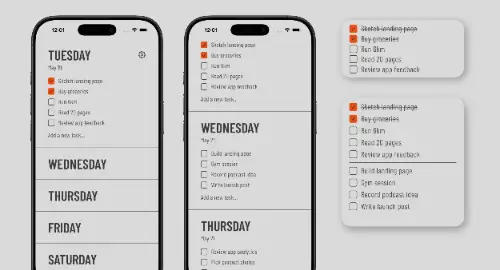
    Pinwork is a private to-do app for iPhone, iPad, Mac, and Apple Watch. Capture tasks fast, plan your day, reschedule in seconds.

  11. View SideNotes details
    #611
    SideNotes

    A beautiful note taking app with superpowers. It shows and hides on the side of your monitor to manage your notes distraction-free.

  12. View Anti-Habit details
    #612
    Anti-Habit

    Stop losing your habit streak on bad days. Anti-Habit is a simple habit tracker that keeps habits alive — no streaks, no guilt, no resets.

  13. View DopaloopApp details
    #613
    DopaloopApp

    Goals-first habit tracker for iPhone & Apple Watch. Built for ADHD: no streak shaming, flexible 0–5 intensity scale, data stays on device. Free 14-day trial.

  14. View Checklist Genie details
    #614
    Checklist Genie

    The smart, simple way to create and share lists. Use your voice or a photo to instantly build actionable checklists powered by AI.

  15. View StarDo details
    #615
    StarDo

    A free to-do list with reminders right inside Telegram: set deadlines, back your tasks with a promise in Telegram Stars and light up stars in your own sky.

  16. View Flowmo details
    #616
    Flowmo

    A Flowmodoro timer app helping you enter flow state and stay focused with the Flowtime Technique. Listed in Productivity & Personal Tools.

  17. View Ashdeck details
    #617
    Ashdeck

    Optimize your New Tab Page with a Focus Timer and Site Blocker for Chrome. Manage your todo list and stay productive every day.

  18. View FocusPlus details
    #618
    FocusPlus

    Discover FocusPlus, the most aesthetic Pomodoro timer online. Boost productivity with a calming interface for focused work sessions.

  19. View Outside details
    #619
    Outside

    Plan trips, dates, birthdays, family visits, and weekends away. Outside keeps them on your iPhone with countdown widgets, reminders, photos, and shared plans.

  20. View Tally details
    #620
    Tally

    Plan the week, then do it. Free weekly to-do planner for iPhone, iPad, Mac & Android. Pro adds a Task Lock app blocker and Plan with AI for Claude and ChatGPT.

  21. View Calendarly details
    #621
    Calendarly

    Put your calendar on your iPhone Lock Screen. Calendarly draws your events, reminders and to-dos onto your wallpaper every morning. 96 layouts free.

  22. View Habit Rewards details
    #622
    Habit Rewards

    Habit tracker that rewards you: every habit and task you complete earns coins for rewards you choose. A reward chart app for adults, free on iPhone and Android.

  23. View Superfocus details
    #623
    Superfocus

    Pomodoro timer, tasks, and lofi cassettes in one browser tab. Superfocus Premium is $1.99/month after a 7-day trial. Listed in Productivity & Personal Tools.

  24. View TaskPocket details
    #624
    TaskPocket

    TaskPocket is a calm to-do list app for your browser and iPhone, with start dates, repeats, reminders, and no AI inside. Unlimited tasks on the free plan.

  25. View Undistractable details
    #625
    Undistractable

    Block distracting apps and stay focused on what matters. Take control of your time and achieve deep work with Undistractable.

  26. View Bizboard Pro details
    #626
    Bizboard Pro

    Running 3 or more ideas and not sure where to focus? BizBoard Pro's AI reviews your ideas and tells you exactly which business deserves your attention this…

  27. View Stabbl details
    #627
    Stabbl

    Stabbl s’arrête. Tous les abonnements ont été arrêtés. Listed in Productivity & Personal Tools.

  28. View LessThan3 AI Relationship Counseling details
    #628
    LessThan3 AI Relationship Counseling

    AI-powered relationship counseling via text messaging, offering support, insights, and exercises for couples. Listed in Productivity & Personal Tools.

  29. View ProgressMade.ai details
    #629
    ProgressMade.ai

    Help your brand express its core values with professional videos. Create brand videos 10x faster. Perfect for e-commerce and marketing.

  30. View Kita details
    #630
    Kita

    The AI-native stack for modern underwriting — bespoke to every lending use case. Underwrite borrowers anywhere in the world in minutes.

  31. View SlidesGo details
    #631
    SlidesGo

    Create professional presentations in minutes with AI. Generate, beautify, and enhance your PPT with intelligent automation.

  32. View SWMS AI details
    #632
    SWMS AI

    Generate comprehensive job-specific Safe Work Method Statements in seconds. Leverage AI to identify hazards, assess risks, and suggest control measures.

  33. View Ecoms Genie AI details
    #633
    Ecoms Genie AI

    Ecom Genie is an AI Coaching Software designed to accelerate your Shopify Store. Listed in Productivity & Personal Tools.

  34. View BixGPT ReleaseNotes details
    #634
    BixGPT ReleaseNotes

    BixGPT automates release notes generation using private AI for secure and efficient documentation. Listed in Productivity & Personal Tools.

  35. View Make-Print Platform details
    #635
    Make-Print Platform

    Make-Print is a 3D management software platform for prototyping and product development companies. Listed in Productivity & Personal Tools.

  36. View NoDial.io details
    #636
    NoDial.io

    Collect refundable deposits on Calendly bookings. Cut no-shows, protect your time, and refund in one click. Start free today.

  37. View Doclific details
    #637
    Doclific

    Private knowledge base of business rules, tied to the code that enforces them. Coding agents read each rule. Every pull request is checked against it.

  38. View lalye details
    #638
    lalye

    Map strategy, connect your data, and align teams with Luna AI on a single visual canvas. The live neural network of your company. Strategic planning tool.

  39. View Socratify details
    #639
    Socratify

    The AI that upskills you. Interview prep, career growth, and AI fluency, tailored to you by your AI Career Skills Agent.

  40. View TeamifAI details
    #640
    TeamifAI

    Connect demand, suppliers, and your workforce in one platform — from request intake to staffed delivery, with AI that speeds decisions without replacing them.

  41. View Monivity details
    #641
    Monivity

    Transform your productivity with AI-powered insights. Track your work patterns, analyze productivity trends, and optimize your performance with Monivity.

  42. View Gamma App details
    #642
    Gamma App

    Create presentation drafts from a topic or document with Gamma App. Review slides, export your work and use tools for PowerPoint conversion and speaker notes.

  43. View Parseflow.io details
    #643
    Parseflow.io

    Extract data from any PDF, entirely on your Mac. No cloud. No subscription. One-time purchase. Powered by open-source AI models running locally.

  44. View Cloud Hero details
    #644
    Cloud Hero

    Cloud Hero streamlines businesses by providing a modernized online presence and innovative solutions for boosting growth and productivity.

  45. View EchoDial details
    #645
    EchoDial

    HIPAA-friendly appointment scheduling app with online booking software, automated SMS appointment reminders, voice call reminders, e-signature intake forms,…

  46. View ai4bd.com details
    #646
    ai4bd.com

    AI4BD provides AI products and services for business process automation and digitalization. Listed in Productivity & Personal Tools.

  47. View Notaide details
    #647
    Notaide

    Brainstorm ideas visually with AI. Organize and expand your thoughts easily using Notaide. Listed in Productivity & Personal Tools.

  48. View Profynix details
    #648
    Profynix

    Profynix is an Agentic Business Operating System that runs your payments, books, marketing, website and customers for you.

  49. View kuizu details
    #649
    kuizu

    Discover + connect with your partner through fun games & learning opportunities. Keep your relationship happy, healthy and spicy.

  50. View Deep Tutor details

    #650
    Deep Tutor

    Opennote is a deep research and open notes platform for students with AI-powered tools. Listed in Productivity & Personal Tools.

Frequently asked questions

What are Productivity & Personal Tools tools?
Productivity and personal tools are software for individual work organisation — notes, tasks, calendar, documents, file handling and small utilities that remove friction from a personal workflow. This directory lists 998 of them, 807 of which have enough detail to be indexed, each confirmed live and serving its own product site as of the date shown on its listing.
Are Productivity & Personal Tools tools free?
Most have some free access. Of the 917 Productivity & Personal Tools tools with a published pricing model (92% of those listed), 67% offer a free or freemium tier, 29% are paid, 25% include a free trial and 24% do not publish pricing and require contacting the vendor. These categories overlap — a tool can be both freemium and paid — so the figures total more than 100%. Pricing for the remaining 81 was not published on their sites, so it is not counted here. Note that "freemium" means a usable free tier with limits on volume, seats or features rather than the full product, and a "free trial" is time- or usage-limited rather than free indefinitely.
What are the most popular Productivity & Personal Tools tools?
By estimated monthly traffic, the most-visited Productivity & Personal Tools tools in this directory are AI PDF Summarizer by PDF Guru, Fathom 2.0, SYNTX.AI, Fillout.com and PDFgear. This ranking covers the 585 tools (59% of those listed) that have published third-party traffic estimates; tools without traffic data are excluded rather than assumed small. Traffic is one signal of adoption, not a quality judgement, and estimates vary in accuracy between providers.
What types of Productivity & Personal Tools tools are there?
The most common sub-types in this category are Productivity, AI, Habits, Calendar and Note-taking. These labels come from the source directories the products were imported from, so they reflect how those sources categorise the space rather than a taxonomy we imposed. A single tool often spans several of them.
How are these tools ranked and verified?
Each entry points at the product's own website, which was checked to confirm it is live and still serving that product; sites that have shut down or no longer offer it are left out, and two listings for the same product are merged into one. Within a category, products are ordered by estimated monthly traffic where that figure exists, and alphabetically where it does not. Traffic and rating figures are third-party estimates and may be incomplete. Listings are re-checked periodically and each entry carries the date it was last verified.
How do I choose a Productivity & Personal Tools tool?
The criteria that matter most in this category are: Export format and whether it is open. Your notes and history are the asset; a proprietary vault is a liability; Offline and local behaviour, including whether sync conflicts are handled sanely; Cross-platform coverage for the devices you actually use, rather than the ones the vendor prioritises; How AI features handle your existing data — whether they index it, send it off-device, and whether that can be turned off. Start from the specific job you need done rather than the longest feature list, and trial against your own data or content — demo material in this category is usually chosen to flatter the product.

What to look for

  • Export format and whether it is open. Your notes and history are the asset; a proprietary vault is a liability.
  • Offline and local behaviour, including whether sync conflicts are handled sanely.
  • Cross-platform coverage for the devices you actually use, rather than the ones the vendor prioritises.
  • How AI features handle your existing data — whether they index it, send it off-device, and whether that can be turned off.
  • Whether the tool does one thing well or many things adequately, matched to how you would actually use it.